
Most new eBay sellers waste hours listing random junk that never sells.
They guess instead of checking what actually moves.
If you want to make real money on eBay, you need to learn one simple habit:
Always look up the item before you spend time listing it.
This post will show you how to do that in minutes — so you can tell whether something is profitable and how fast it’ll sell.
Step 1: Search the Item on eBay
Go to eBay.com and type the exact name or model of the item you’re thinking about selling.
If it has a barcode, open the eBay mobile app and scan it — that’ll pull up the exact product instantly.
Example:
Let’s say you’ve got an old Xbox One S sitting in your closet. Type “Xbox One S 1TB” into the search bar. You’ll see all the active listings.
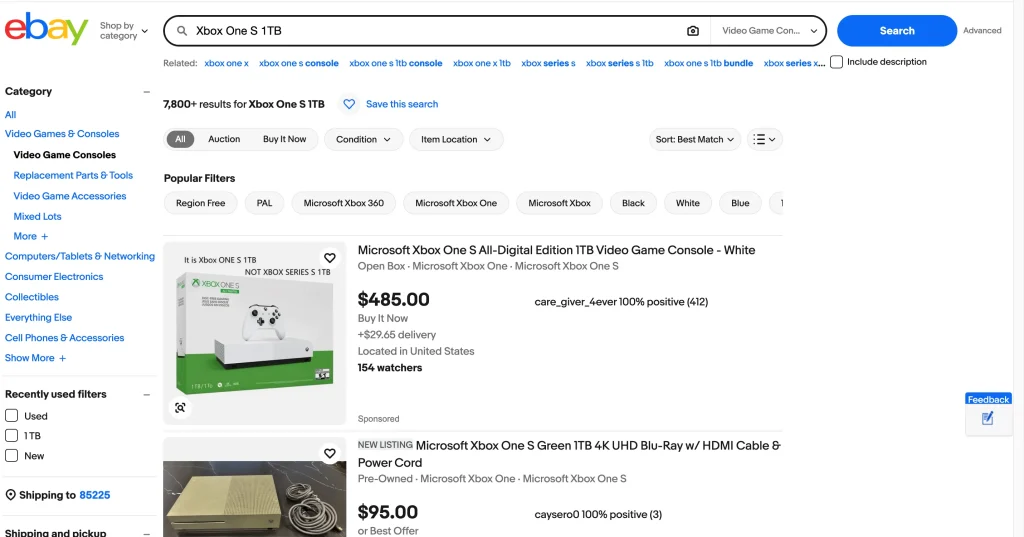
Ignore those for now. Active listings don’t tell you what sold — just what people hope to get.
Step 2: Filter by Sold and Completed Items
Once the search results appear, scroll down the sidebar and toggle “Sold Items” (it’ll also automatically check “Completed Items”).
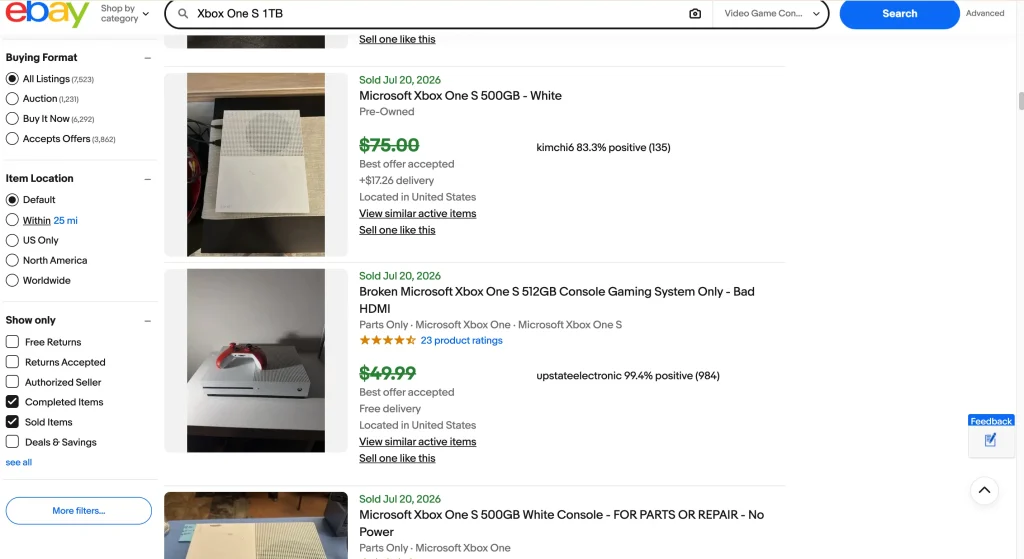
Now you’re seeing the truth: Real transactions — what buyers actually paid.
You’ll notice two things:
- Green prices = items that sold
- Gray prices = items that didn’t
This tells you the going rate, not fantasy pricing.
Step 3: Check Average Selling Price
Scan through the results.
Look at condition (new vs used), included accessories, and the average sale price.
If most used Xbox One S consoles are selling between $100 – $130, that’s your realistic range.
You can use this info to:
- Avoid sitting on overpriced junk
- Price your listing competitively
- Decide whether the profit margin is worth your time
Step 4: Judge How Fast It Sells (Sell-Through Rate)
Here’s the second half of the equation: speed.
Scroll through the sold listings and look at the dates.
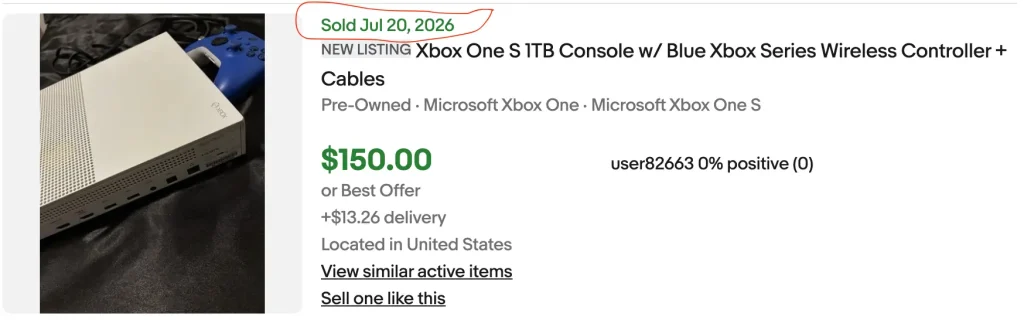
If items are selling every day or every couple of days, it’s a hot mover.
If they sell once every few weeks, it’s a slow seller and you’ll probably be sitting on it for a while.
This tells you what kind of inventory you’re dealing with:
- Fast movers = Quick cash flow
- Slow movers = Shelf warmers
Speed = cash flow.
Having some high profit/slow moving items is fine, but you don’t want a garage full of “eventually” inventory.
Step 5: Apply This Method to Everything
This isn’t just for electronics.
At garage sales, thrift stores, or estate sales, you can use this exact trick on your phone.
- Clothing: Scan the tag or search the brand + item (e.g., “Carhartt jacket”)
- Shoes: Search model number inside the tongue tag
- Tools, collectibles, household items: Just type what you see
Filter by Sold Items and you’ll know within seconds if it’s worth grabbing or leaving behind.
Step 6: Make the “Worth It” Call
After checking price + sell-through, ask yourself three questions:
- How much can I profit after shipping + fees?
- How fast will it sell?
- Is it worth my time to clean, photograph, and list it?
If you can clear at least $10-$15 profit and the item sells quickly, list it.
If it’s low profit and slow moving — skip it.
You’re running a business, not a museum.
Final Word
This simple research step separates the hobbyists from the real sellers.
Anyone can scroll eBay and dream about profits.
The pros check data and make decisions fast.
Do this every time before buying or listing, and you’ll never waste time on dead inventory again.