
Anyone can list an item.
That’s not the same thing as selling it.
Most beginners throw up a blurry photo, type a lazy title, guess at a price, and wonder why nobody is buying.
eBay isn’t complicated, but it does reward the people who take the extra 3 minutes to do things correctly.
This guide shows you exactly how to list an item so it actually sells.
Step by step.
Step 1: Research the REAL Selling Price (Not What You “Think” It’s Worth)
Your opinion means nothing.
So before listing, see what the item actually sold for.
- Search the item on eBay.
- Scroll down and click Filter → Sold Items.
- Look at the items prices that have a green number next to them. Those are real sales.

That’s the real-world market value.
Price somewhere in that range. Don’t get greedy. Fast money comes from fair pricing.
Step 2: Take Good Photos (This is More Important Than the Price)
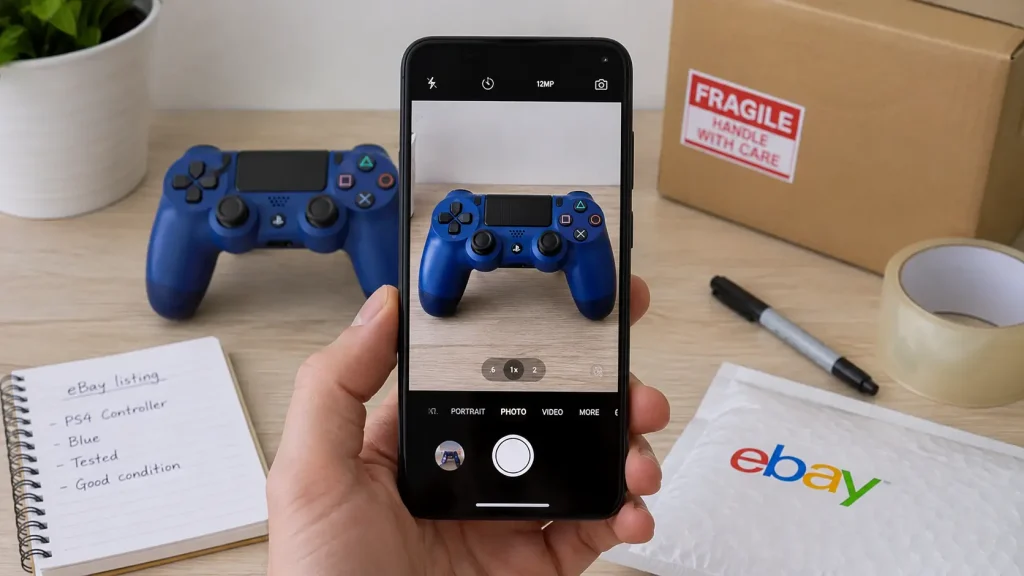
Your photos are your storefront.
If your photos look like trash, buyers assume the item is trash and that you have no idea that you’re doing.
Tips:
- Use natural lighting. A sunny window works fine.
- Plain background. A table, desk, or white wall.
- Take multiple angles. Front, back, sides, and close-ups.
- Show flaws honestly. This builds trust and reduces returns.
If you do nothing else right… good photos alone can raise your sale price by 20–40%.
Pretty wild.
Check out this article to learn more about taking eBay photos.
Step 3: Write a Strong, Searchable Title

Your title isn’t poetry.
It’s keywords.
Include:
- Brand
- Model
- Size
- Color / Style
- Condition (if relevant)
- Any unique traits
Example:
Instead of “Nice Boots Size 10”.
Do:
Red Wing Iron Ranger 8111 Leather Boots Size 10 Brown USA Made
Clear.
Searchable.
eBay titles are all about keyword stuffing.
Still not sure what to do?
Literally filter your item by sold items and copy and paste the exact title that someone else used to make a sale.
I do that all the time!
Step 4: Choose the Right Category and Item Specifics

eBay loves data.
The more accurate details you fill in (model number, color, material, etc.), the more the algorithm will push your listing in search.
You want visibility.
Visibility = sales.
Don’t skip this section because you’re lazy.
Step 5: Description: Keep It Simple and Honest

No need to write your life story. Buyers want clarity.
Template you can use:
- What the item is
- Why you’re selling it (optional)
- Condition (be brutally honest)
- Any flaws (describe and show in photos)
- Shipping details
Example:
Boots are in great shape. Worn lightly. No rips or damage. Some creasing from normal wear. See photos. Smoke-free home. Ships within 24 hours.
Short. Clear. Confident.
Step 6: Price It Competitively
Use your sold listing research.
General strategy:
- If you want a fast sale: price slightly below typical sold price.
- If you don’t mind waiting: price slightly above.
Do Buy It Now with the option for Best Offer.
This lets you negotiate while still anchoring the price.
Step 7: Offer Fair, Fast Shipping
Buyers love fast shipping. It makes you look professional.
Tips:
- Use USPS Ground Advantage or Priority Mail for most items.
- Don’t overcharge for shipping. It turns buyers off.
- Ship within 1 business day.
This builds positive feedback, which snowballs your whole store.
Step 8: Hit “List” — Then Pay Attention
Once live:
- Respond to offers quickly.
- Answer questions simply and confidently.
- If no views or watchers in 48–72 hours, adjust price a few bucks.
You don’t need to babysit it, just keep an eye on how the market reacts.
Final Word
Selling on eBay is simple, but not lazy.
Take good photos.
Be honest.
Price it correctly.
Ship fast.
Do these consistently and you’ll sell circles around 90% of people on the platform.
This is how I made my first $3,000.
This is how anyone can do it.
No hype.
No dropshipping gimmicks.
Just real honest business.